> For the complete documentation index, see [llms.txt](https://docs.autommate.com/userguide/llms.txt). Markdown versions of documentation pages are available by appending `.md` to page URLs; this page is available as [Markdown](https://docs.autommate.com/userguide/build-automations/manage-versions-and-dependencies.md).
# Manage versions and dependencies
An automation version records a particular state of a flow. App and action versions describe its dependencies. Track both when testing, releasing, or investigating a problem.
In the Work Item editor, **Save Hyper Flow**, **Release as Active Version**, and **Run Hyper Flow** are separate controls. The header shows the version and **Dev** state; **Dev Mode Enabled** appears on the canvas. Saving a draft, releasing it, and executing it are separate operations.
### Understand the automation lifecycle
The documented standalone automation lifecycle uses **Developer**, **Active**, and **Old** versions:
| Version | Purpose |
| --------- | -------------------------------------------------------------- |
| Developer | Editing and testing changes |
| Active | The released version available to callers configured to use it |
| Old | A historical version retained for reference |
Develop changes in a Developer version. Review the existing Active version and each caller's actual endpoint or binding before starting. The documented **Clone to Developer Version** option provides a starting point from an Active or Old version.
**Service Work Items have an additional binding rule:** a service selects a specific released Work Item version. Publishing a new Active version does not, by itself, prove that an existing service or deployment now uses it. Inspect and update the service's pinned version deliberately, then verify its deployment.
Do not assume that using a Developer version makes external actions harmless. A test action can still contact its configured application or script target. Use test data and suitable credentials.
### Worked example: release a corrected Work Item
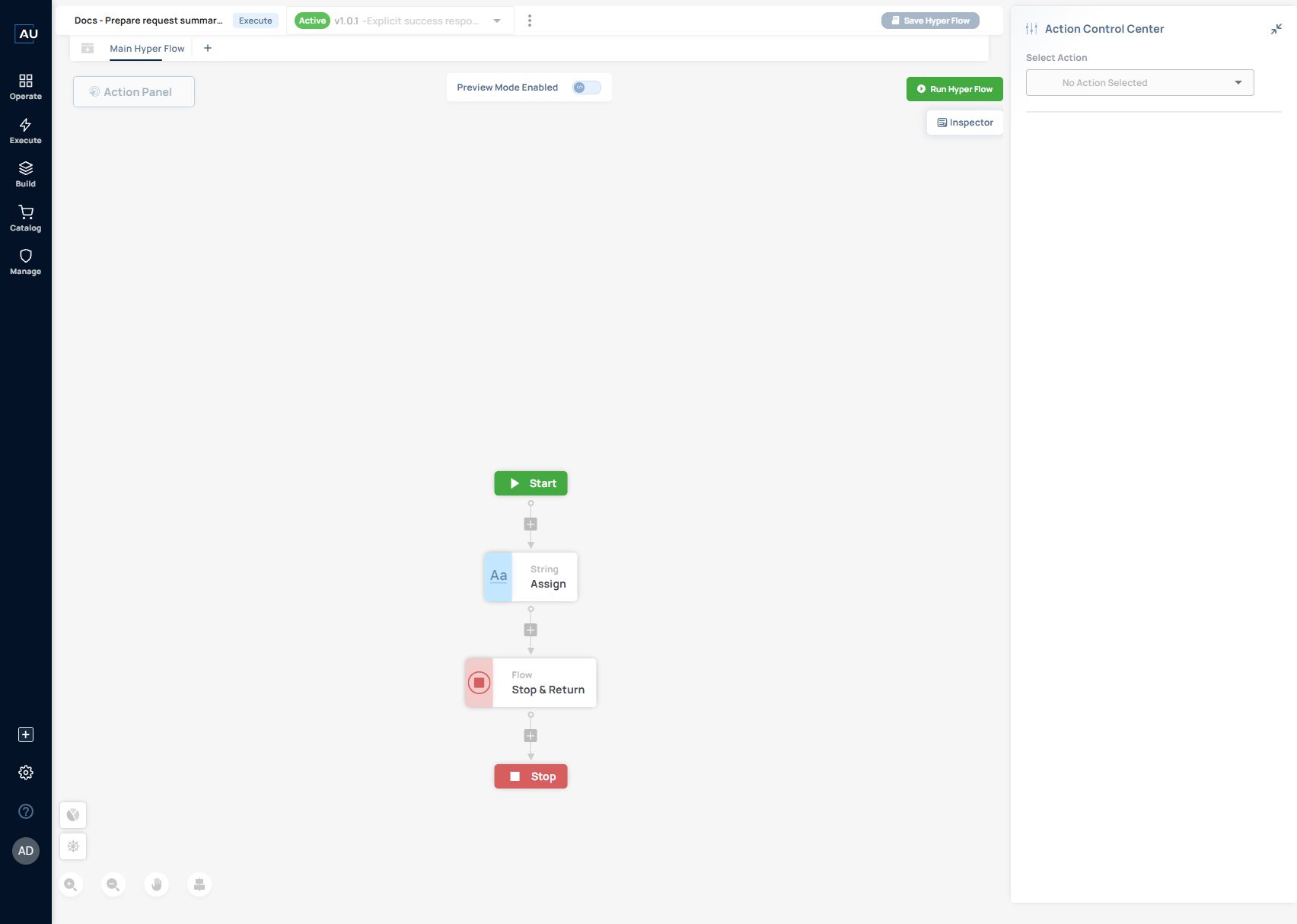
The request-summary Work Item provides a small release example with a visible change and a repeatable check. In the captured presales sequence, `Docs - Prepare request summary - 20261013` was revised from `v1.0.0` to `v1.0.1` after its Stop & Return result needed correction.
1. Open the development version and inspect **Flow - Stop & Return**. Select **Yes** for **Result**. The captured configuration also uses response status `200`, body type `text/plain`, and the mapped `request_summary` value.
2. Save the intended changes, then select **Release as Active Version**. Saving and releasing are separate controls.
3. Reopen the released version and verify its identity. The captured header shows **Active v1.0.1** and the release title beginning **Explicit success response**.
4. Run that released Work Item and inspect its action input. The captured `v1.0.1` manual run completed successfully and its Stop & Return input contained `result: "true"`.
5. If a service uses this Work Item, check the version selected in its Execute phase. Review and publish the intended service version, then check the deployment version separately.
The [Work Item tutorial](/userguide/service-automation/create-work-items-and-pin-released-versions.md) contains the configuration and runtime screenshots. This example verifies the Work Item release and its manual run. The service draft was subsequently updated to use the corrected version; that alone does not verify a new deployment or Service Case on the corrected version. Keep those checks as separate release evidence.
### Review before release
Use **Version Compare** to inspect changes to actions, fields, configuration, and execution order. Check these areas before releasing:
* Required inputs and returned outputs.
* Credentials, target URLs, and record identifiers.
* Triggers and schedules.
* Error paths and retry behavior.
* App/action dependencies and script requirements.
The documented release operation is **Release as Active Version**. Confirm the version being released and the expected effect on callers before performing that operation. A saved Developer version and a released Active version are different states.
### Keep endpoints with their versions
API and webhook callers must use the endpoint for the intended version. Copy the endpoint shown by the environment rather than manually adding a development suffix or adapting an old URL.
After a release, verify one controlled request and confirm the execution record references the intended version. Preserve enough history to compare the last working behavior with a changed behavior.
### Check app and action dependencies
The existing documentation describes **Library Insights** and action-level version information. Use the available dependency view to record which app or library versions the flow relies on.
An app upgrade and an automation edit are separate changes. If both are required, test their combination explicitly. For scripted actions, include the execution host's interpreter, packages, and modules in the dependency record.
### Release evidence
Keep a short record of the old and new automation versions, changed dependencies, test inputs, expected and observed results, and the operational owner. Include the response contract when external callers depend on it.
Agree on a recovery approach before release. Do not describe an untested version switch as a guaranteed rollback; verify the available controls and any effects already produced in external systems.